
Here is how to navigate and find your appointment via the OneDoc app:
1. On the main page, you can simply click on the "search field".
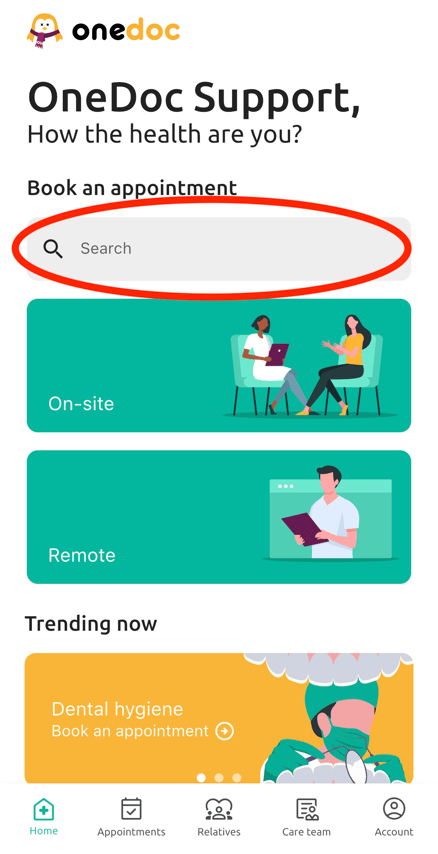
2. Type the name of the desired healthcare professional/specialty/institution etc. and your location.
3. After, a list of your search results will appear.
4. Simply click on one of the profiles on the list and book your appointment.
Please note:
You can also add additional filters to your search by clicking on "Filter" on the bottom right of the page.
You can choose for an example: the spoken language/gender/insurance network etc. of your healthcare professional.
Please note:
We recommend to use the geolocation to make the search easier